
Kernaussagen
- Entscheidend ist nicht das „beste“ Tool, sondern klare Regeln, welches Kommunikationstool für welchen Zweck genutzt wird, um Verwirrung durch zu viele Messenger zu vermeiden.
- Jedes Teammitglied muss das gewählte Tool technisch und fachlich nutzen können; zusätzlich braucht es Headset, Webcam und eine stabile Internetverbindung.
- Viele Tools bieten ähnliche Basisfunktionen wie Chat, (Video-)Anrufe und thematische Kanäle; bei der Auswahl zählen vor allem die spezifischen Unique Selling Points und ggf. DSGVO-Kompatibilität.
- Slack punktet mit starker Suche und dem Zugriff auf die letzten 10.000 Nachrichten in der Gratisversion, während Microsoft Teams besonders durch Office365-Integration, App-Einbindungen (z.B. OneNote) und praktische Meeting-Features wie Hintergrund-Weichzeichnung überzeugt.
- Discord/Teamspeak eignen sich für große Sprachgruppen (Discord mit Screen Sharing und Video, aber 8 MB Upload-Limit), GoToMeeting ist als virtueller Meetingraum per Link gedacht, und Skype bietet Erreichbarkeit über die eigene Telefonnummer sowie Screen Sharing und (bei Skype for Business) Audioaufnahmen.
The choice of communication tools is huge. Whether messengers, services for video conferencing or the good old email – every communication channel has its own strengths that make it suitable for certain tasks. At the end of the day, it doesn’t matter whether the entire team exchanges information via a joint WhatsApp group or holds a morning jour fixe by phone. Only two things are important: that a) it is defined which tool is used for which purpose. Having to keep an eye on too many messengers will bring confusion into your daily work. And b) that every team member can use it – which includes both the technical component and the educational one. In addition, everyone needs a headset, a webcam and a good Internet connection.
Some functions are found with almost all providers: live chats and the possibility to call individual team members via the application (including video transmission). There is also often the possibility to set up individual channels for different topics, departments or projects. Therefore, in the following ideas I would like to focus only on the essential unique selling points. Whichever tool it becomes: make sure it is DSGVO-compatible if necessary.
Slack with a great search function
With Slack it is possible to send private messages to individual team members. Group calls are not available in the free version. In the free version „only“ the latest 10,000 messages can be displayed and searched. In this way, documents can be retrieved, for example. However, communication beyond this limit is still possible without problems.
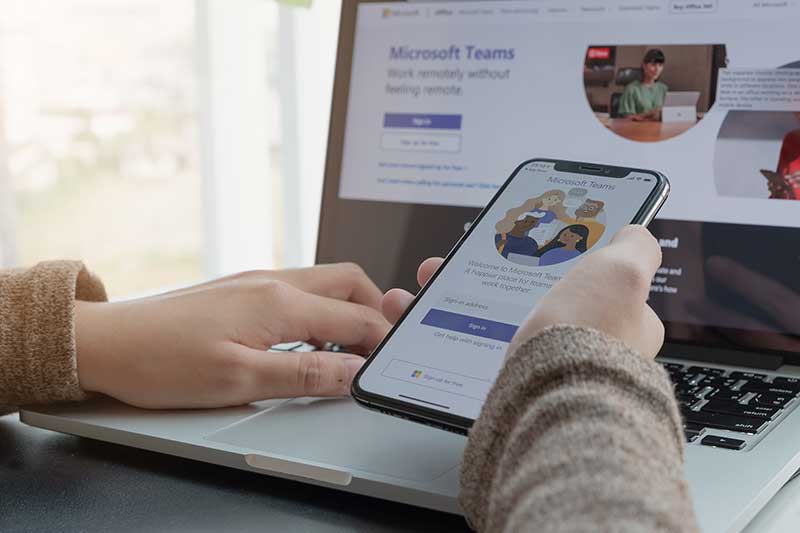
Teams score points for compatibility.
Microsoft Teams is part of the Office365 suite and therefore particularly interesting for those who already work with other Office components. Teams can integrate other programs, such as the OneNote notebook. In this way, teams become an individual and efficient workplace. Audio recordings are supported. Nice for the home office: the background can be blurred or replaced by one of the provided images or your own photo. Thus the untidy study remains hidden.
Discord and TS to relax
Discord and Teamspeak (TS) were actually developed for gamers. The emphasis is therefore not on the exchange of data, but on large groups being able to talk to each other. In both applications you can log in and stay in different channels. If something happens there, you will be aware of it. In Discord, screen sharing and video chats are also possible, but there is an 8 MB limit for uploading files. Discord is free of charge. Teamspeak is also free, but there are costs for the server.
GoToMeeting as virtual meeting room
GoToMeeting is not meant to be a place to stay too long. It is a virtual meeting room for online meetings, desktop sharing and video conferencing, which can be joined via a link. Audio recordings are also possible. As a GoToMeeting moderator, you can share your screen and pass on the moderator role as required.

Skype with your own phone number
Skype allows you to set up using your own telephone number. This means that you can be reached at local rates even when you’re on the move for those at home who want to call you from their mobile or landline. If you use Skype to call mobile or landline phones yourself, you will be charged. Other usage is free. Skype supports screen sharing. Skype for Business enables audio recording.
FAQ – Häufige Fragen zum Thema
Welche Kommunikationswerkzeuge eignen sich am besten für unterschiedliche Aufgaben im Team?
Jedes Tool hat seine Stärken für bestimmte Aufgaben: Instant Messenger wie Slack sind gut für schnelle Chats und das Abrufen von Nachrichten. Videokonferenz-Tools wie GoToMeeting bieten virtuelle Meetingräume für Online-Meetings. E-Mail bleibt geeignet für formelle und asynchrone Kommunikation. Wichtig ist, klare Regeln festzulegen, welches Tool für welchen Zweck genutzt wird, um Verwirrung zu vermeiden.
Was sind die wichtigsten Funktionen von Slack in der kostenlosen Version?
Slack ermöglicht private Nachrichten an Teammitglieder und die Einrichtung von Kanälen für verschiedene Themen. In der kostenlosen Version können die letzten 10.000 Nachrichten angezeigt und durchsucht werden, was die Suche nach Dokumenten erleichtert. Gruppencalls sind in der Gratisversion jedoch nicht verfügbar.
Welche Vorteile bietet Microsoft Teams gegenüber anderen Tools?
Microsoft Teams integriert sich nahtlos in die Office365-Suite und erlaubt dadurch die Nutzung weiterer Office-Anwendungen wie OneNote. Es unterstützt Audioaufnahmen, Hintergrundunschärfe bei Videokonferenzen und bietet eine effiziente Arbeitsumgebung speziell für Nutzer, die schon mit Microsoft-Produkten arbeiten.
Wie unterscheiden sich Discord und Teamspeak von anderen Kommunikationsprogrammen?
Discord und Teamspeak wurden ursprünglich für Gamer entwickelt und fokussieren sich auf die Sprachkommunikation in großen Gruppen mit unterschiedlichen Kanälen, in denen man „eingeloggt“ bleiben kann. Discord erlaubt zudem Bildschirmfreigabe und Videochats, hat aber eine Uploadbeschränkung von 8 MB. Beide sind grundsätzlich kostenfrei, jedoch fallen bei Teamspeak Serverkosten an.
Wofür eignet sich GoToMeeting besonders gut?
GoToMeeting ist als virtueller Meetingraum für Online-Meetings, Desktop-Sharing und Videokonferenzen gedacht. Teilnehmer treten per Link bei, der Moderator kann den Bildschirm teilen und die Moderation weitergeben. Das Tool ist nicht für dauerhafte Kommunikation gedacht, sondern für gezielte Treffen.
Welche Besonderheiten bietet Skype für die geschäftliche Nutzung?
Skype ermöglicht die Nutzung einer eigenen Telefonnummer, so dass Anrufe zu lokalen Tarifen erreichbar sind. Anrufe auf Mobil- oder Festnetztelefone kosten Gebühren, der Versand von Nachrichten und Anrufe unter Skype-Nutzern sind kostenlos. Skype unterstützt außerdem Bildschirmfreigabe und Skype for Business bietet zusätzlich die Möglichkeit der Audioaufnahme.
Was muss bei der Auswahl eines Kommunikationstools hinsichtlich Datenschutz beachtet werden?
Unabhängig vom gewählten Tool sollte darauf geachtet werden, dass es gegebenenfalls DSGVO-konform ist. Das ist besonders wichtig, wenn personenbezogene oder sensible Daten ausgetauscht werden.